This guide explains managing 1099s for vendors. It is intended for advanced users.
aACE provides useful searching and reporting features for vendor 1099s. To work with these features, navigate from Main Menu > CRM & Sales > Companies.
Enabling the 1099 Preference for Company Records
The 1099 preference designates a company record as requiring a 1099 form. This preference is useful for reporting and management of 1099 vendor companies.
Enable a Specific Company
General users with the required access privileges can enable the 1099 preference for specific companies.
- At the Companies module list view, use the Quick Search bar to locate the vendor company record.
- At the vendor company record detail view, select the Finance & Accounting, then select Edit.
- In the Tax Details section, enable the preference for 1099.
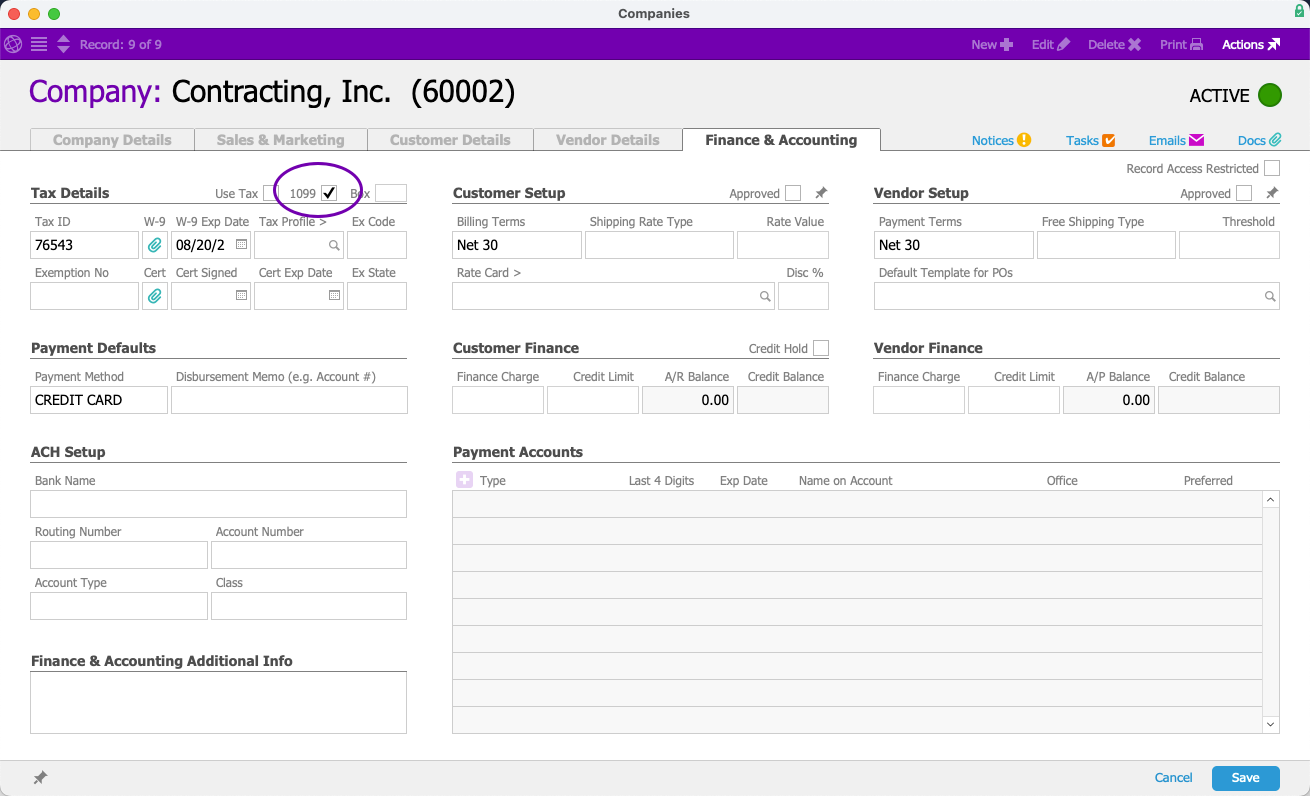
- Select Save.
Enable Multiple Companies with a Batch Update
System administrators can update 1099 preferences for multiple company records at once from the Companies list view.
- Use the Quick Search bar to display a list of companies.
- Select Admin Actions (
 ) > Update 1099 Setting for List.
 - Select Y-True to enable the preference or Y-False to disable the preference for these companies.
 ) > Update 1099 Setting for List.
Displaying All 1099 Companies
You can easily list all companies that require 1099s.
- At the Companies module list view, select Search Options (
 ) > Go To Advanced Search.
 - Locate the Finance & Accounting section.
- Enable 1099.
You can enter additional criteria to constrain your list of 1099 companies further.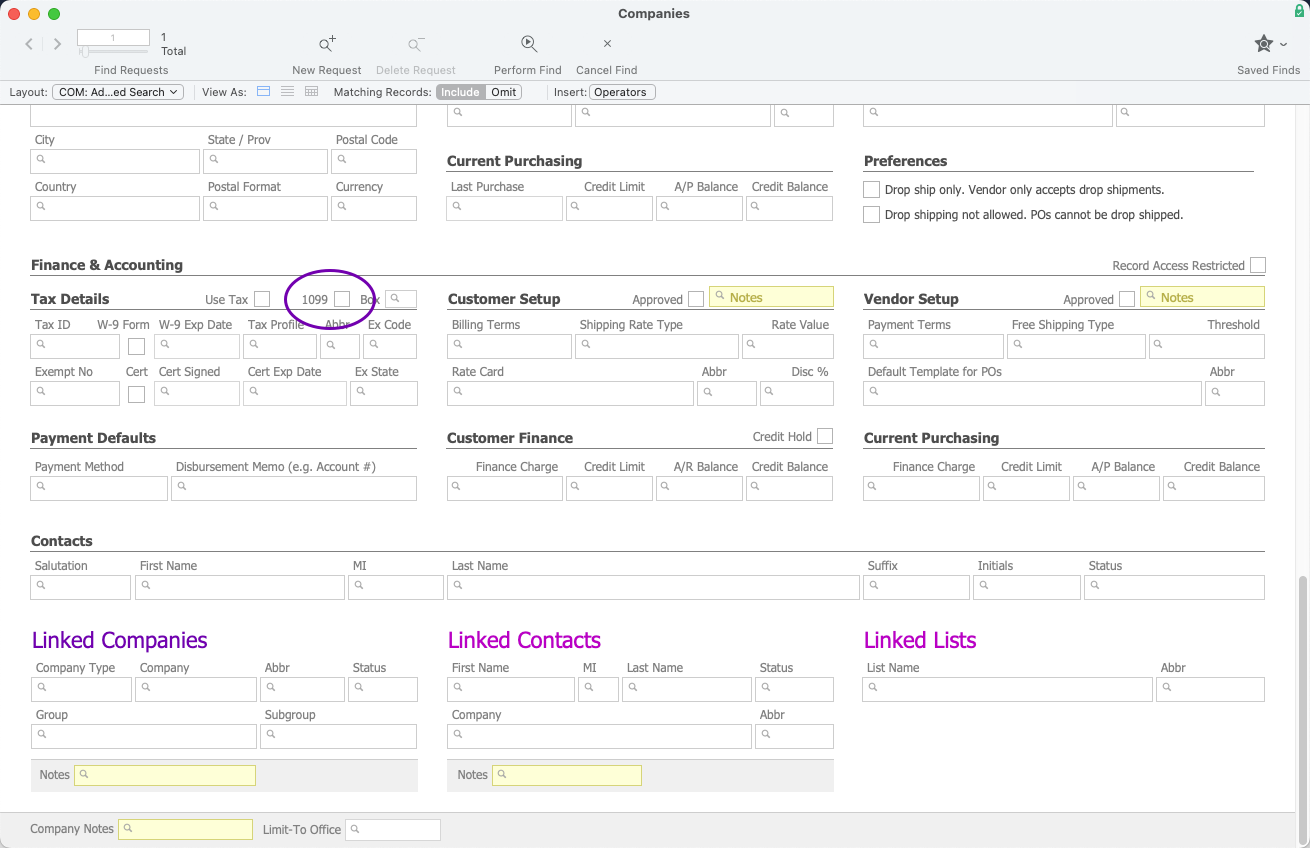
- Select Perform Find.
 ) > Go To Advanced Search.
1099 Data Export Report
Only team members with Finance and Accounting access privileges can run this report.
The 1099 Data Export report summarizes 1099 data and includes information such as the company name, tax ID, and address for the specified tax year. aACE generates results for the companies currently displayed in the list view. If you have not filtered the list to show only 1099 companies, then non-1099 companies might affect the report.
The 1099 data export report is based on the specific office you are currently logged in to. To open the report for a different office, you must switch offices.
Find Companies with x Disbursement Volume
To help prepare the list of companies to include in the 1099 report, you can search for vendors based on their disbursement volume. At the Companies module list view footer, select Find Companies with x Disbursement Volume. Enter a tax year, a minimum target disbursement volume, and an office if necessary, then select OK. aACE reviews the disbursement data for the selected tax year, then provides a list of companies that have a total disbursement volume equal to or exceeding the target disbursement volume.
This search does not itself limit your list to companies flagged as 1099. You might need to further constrain the list to display only 1099 companies using Advanced Search by entering the Advanced Search details, then selecting the FileMaker Search > Constrain Found Set.

Open the 1099 Report
Create your list of vendor companies using the Advanced Search or Quick Links, then open the 1099 report.
- At the Companies module list view, select Print > Open Report Selector.
- Select 1099 Data Export.
- Enter the year for the data, then select OK.
- Enter the file name, download location, and file type.
- Select Save.
Filing 1099s
There are many qualified companies who can assist you with filing 1099s. We recommend eFile360.
